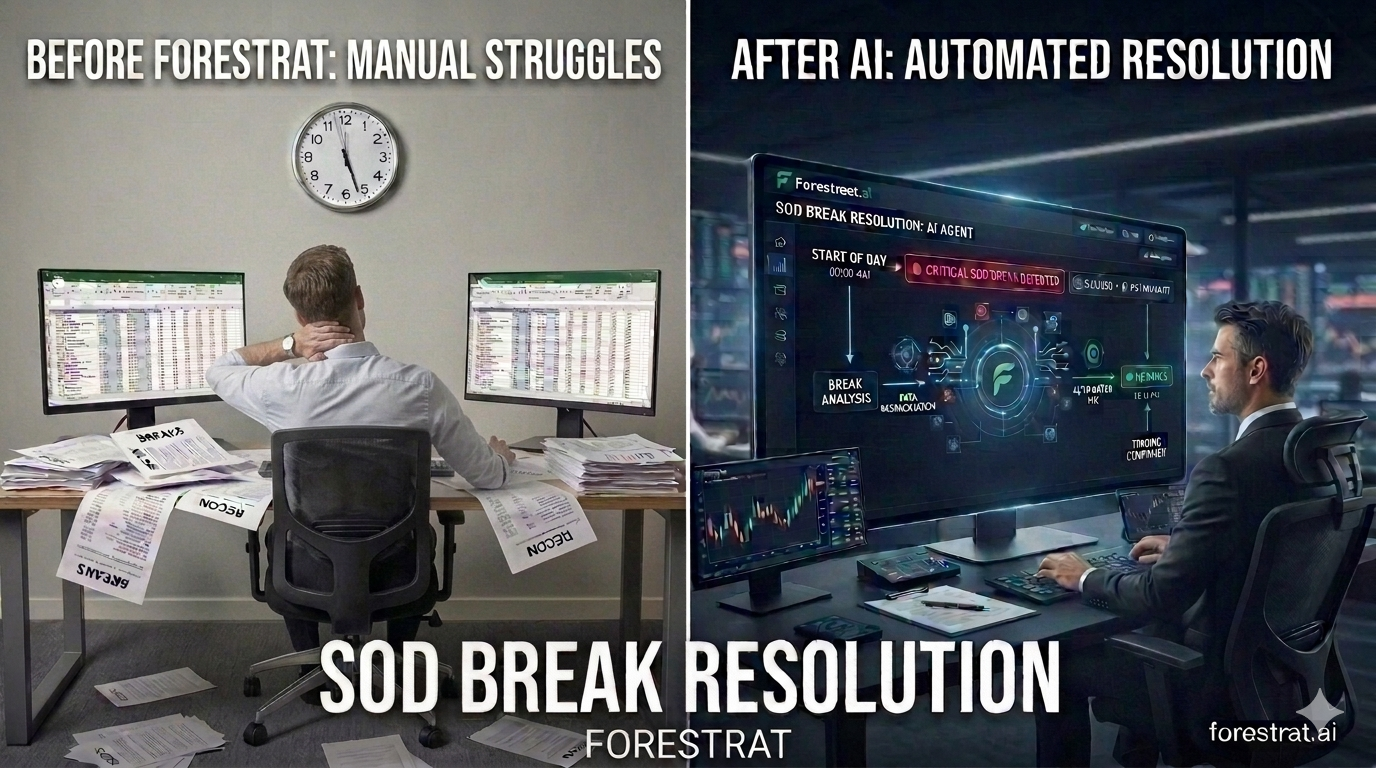
Missing Start of Day (SOD) files are a common failure mode in financial data pipelines. When a prime broker fails to deliver its daily file, the standard response is manual: operations has to identify the gap, trace the downstream impact, and patch the data by hand. This process typically takes several hours and pulls operations time away from other work.
This post walks through a recent incident where a prime broker's SOD file did not arrive, and how our reconciliation tooling and an agent-assisted workflow handled it.
The incident
Our reconciliation tool checks data consistency across sources on a scheduled basis. When the expected file did not arrive, it flagged the break and opened a ticket automatically in our Incident Management System (IMS).
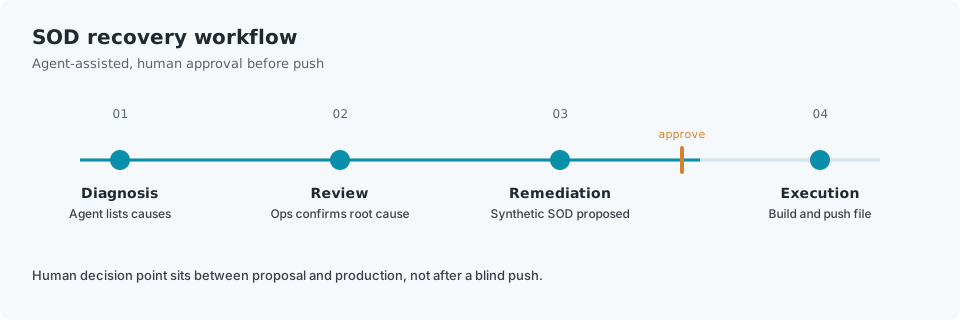
From there, the workflow proceeded in four steps:
- Diagnosis. Inside the IMS ticket, an AI agent listed the most likely causes for the break, based on the source type, the file delivery schedule, and known failure patterns for that connection (for example, distinguishing a broker outage from a format change or a network delivery failure).
- Review. An on-call operations person reviewed the listed causes, confirmed that the prime broker had failed to deliver the file, and selected that as the root cause.
- Proposed remediation. The agent proposed constructing a synthetic SOD file to fill the gap and specified the steps needed to do so, based on the pipeline's downstream dependencies.
- Execution. Operations approved the proposed steps. The agent then constructed the synthetic file and fed it into the low-code pipeline, and downstream processes resumed normally.
Constructing the synthetic SOD file
Because the prior day's SOD file was available and our trades repository holds every executed trade with full settlement and position detail, the agent could reconstruct the current day's expected position set independently of the missing broker file: prior SOD positions, adjusted for the trading activity captured in the trades repository since that point.
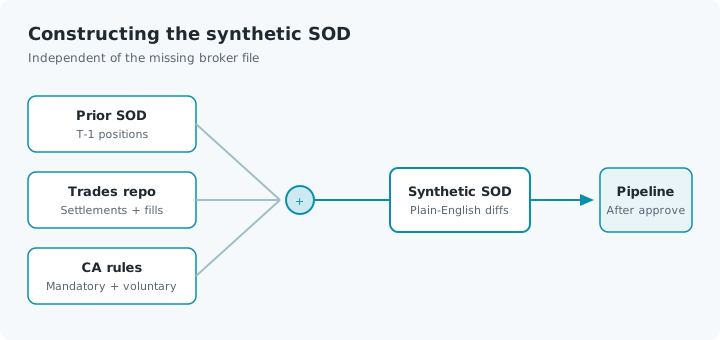
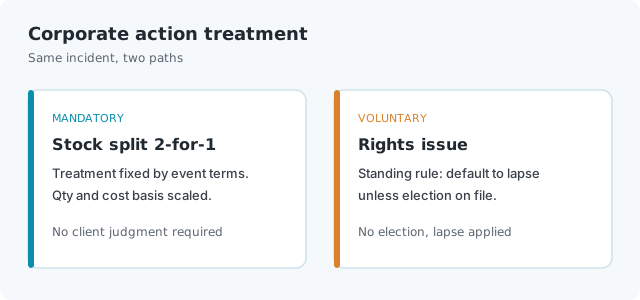
The remaining step was applying corporate actions. We process both mandatory corporate actions, where treatment is fixed by the terms of the event, and voluntary corporate actions, where the outcome depends on an election. For voluntary events, the agent applied each client's agreed corporate action treatment rules, which specify how elections or defaults should be handled for that client absent explicit instruction.
Two examples from this specific incident:
- Mandatory event, stock split. One underlying position had a 2-for-1 split with an ex-date falling on the affected day. The agent applied the split ratio to both share quantity and cost basis, consistent with the terms of the event. No client-specific judgment was required here since mandatory events have a single correct treatment.
- Voluntary event, rights issue. A separate position was subject to a rights issue where holders could subscribe for additional shares at a discount or let the rights lapse. This client's standing instruction on file was to default to lapse unless an explicit election had been logged for that record date. No election was on file, so the agent applied the lapse treatment and adjusted the position accordingly, rather than assuming subscription.
Before the file was pushed downstream, the reconciliation step compared the synthetic file against the trades repository and corporate action engine and surfaced every adjustment it had made in plain English, including the split treatment on the first position and the lapse treatment on the second, along with the specific client rule that determined the rights issue outcome. Operations reviewed that list, checked it against the confirmed root cause, and approved the push.
Why the agent could do this
The agent's ability to diagnose the issue and propose a specific, executable fix depends on a knowledge graph that maps the relationships between our reconciliation engine, the trades repository, the corporate action processing engine, client-level corporate action rules, and the low-code pipeline tooling. This graph gives the agent structural context about the pipeline, so its proposed remediation and the resulting file reflect the actual system and each client's actual rules, rather than a generic or plausible-sounding reconstruction.
Without that context layer, an LLM could describe what a synthetic file replacement generally involves, but it would have no way to know which trades, which corporate action events, or which client-specific rules actually applied to the missing file.
Human approval as a control point
The workflow does not let the agent act autonomously on production data. Every proposed action requires explicit human approval before execution. Operations' role in this flow was to interpret the diagnosis, confirm the root cause, review the corporate action adjustments in plain English, and authorize the fix. The agent's role was to assemble the context, construct the file, and execute the approved steps.
This division keeps a human decision point in the loop for any action that touches production data, while removing the manual work of tracing dependencies, reapplying corporate action rules by hand, and writing one-off scripts.
How this is typically handled
In a more typical operations setup, this same incident usually unfolds as follows:
- Detection. A downstream process fails or produces obviously wrong numbers (a mismatched NAV, a break in a P&L report) hours after the file was due, because the missing file itself was not actively monitored. Detection often happens later than it should, from a symptom rather than the cause.
- Triage. An operations analyst opens several systems separately: the file transfer or SFTP logs to confirm the broker file never landed, the trades blotter or OMS to pull the prior day's positions and the day's trades, and a spreadsheet or internal tool to start reconstructing positions manually.
- Corporate action lookup. The analyst has to separately check whether any corporate actions affected the positions in scope. This usually means pulling a corporate action notice from a data vendor or the custodian, manually cross-referencing it against the client's instructions (often stored in an email thread, a shared document, or an analyst's memory of past handling), and calculating the adjustment by hand in a spreadsheet.
- Manual reconciliation. Once a candidate reconstructed file is built, it is checked, often by eye or with a basic spreadsheet comparison, against whatever partial data is available. Voluntary corporate action treatment is a common source of error here, since the correct treatment depends on client-specific instructions that are not always centrally documented or easy to find under time pressure.
- Sign-off and push. A senior operations person or manager reviews the reconstructed file, sometimes with limited visibility into exactly how each adjustment was derived, and approves it for downstream use.
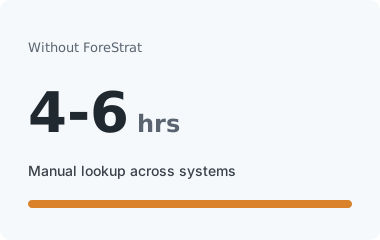
This process is generally correct but slow, commonly taking four to six hours from detection to resolution, and it depends heavily on the availability and institutional knowledge of specific analysts. Because corporate action treatment for voluntary events is applied manually, the risk of an incorrect election default, or of missing a corporate action entirely, is higher, particularly under the time pressure of a live SOD delay.
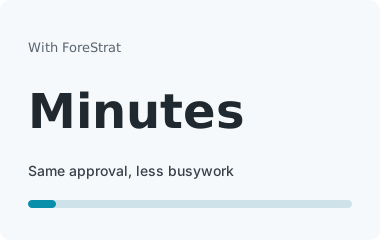
The agent-assisted version does not remove any of these steps; it automates the lookup and calculation work (querying the trades repository and corporate action rules directly rather than reconstructing them by hand) and presents the result for the same human review and approval that would happen anyway. The time difference comes from removing the manual lookup and calculation, not from removing the review step.
Summary: with vs. without ForeStrat
| Step | Without ForeStrat | With ForeStrat |
|---|---|---|
| Detection | Missing file often surfaces later, via a downstream symptom (bad NAV, broken P&L report), not the cause itself | Missing file flagged immediately by scheduled reconciliation check; IMS ticket opened automatically |
| Diagnosis | Operations manually checks SFTP/file transfer logs to confirm non-delivery | Agent lists likely causes in the ticket based on source type and delivery history; operations confirms root cause |
| Position reconstruction | Analyst manually pulls prior SOD and trade data from separate systems, reconstructs positions in a spreadsheet | Agent queries trades repository directly and reconstructs positions programmatically |
| Corporate action lookup | Analyst manually pulls corporate action notices and cross-references client instructions (often in email or informal records) | Agent queries corporate action engine and each client's documented treatment rules directly |
| Corporate action treatment | Applied by hand; higher risk of misapplying a voluntary election default or missing an event under time pressure | Applied automatically per event type (mandatory) or per client rule (voluntary), consistently |
| Review | Sign-off often has limited visibility into how each adjustment was actually derived | Full plain-English breakdown of every adjustment (mandatory and voluntary) with the specific rule applied, shown before approval |
| Execution | Manual push once reconstructed file is judged ready | Operations approves; agent constructs and pushes the file automatically |
| Typical time to resolution | Four to six hours | Minutes |
| Human decision point | Present throughout, but time-constrained and working from partial/manual information | Present at the same points, working from a complete, pre-assembled picture |
Frequently Asked Questions
What happens when a prime broker fails to deliver an SOD file?
Without active monitoring, the gap often surfaces hours later as a mismatched NAV or a broken P&L report. With ForeStrat, scheduled reconciliation flags the missing Start of Day file immediately, opens an IMS ticket, and starts an approval-gated recovery workflow.
How does an agent-assisted SOD recovery workflow work?
An AI agent lists likely causes in the ticket, operations confirms the root cause, the agent proposes reconstructing a synthetic SOD from the prior day's file plus the trades repository and corporate action rules, then constructs and pushes the file only after human approval.
How are corporate actions handled in a synthetic SOD reconstruction?
Mandatory events (such as stock splits) are applied from the terms of the event. Voluntary events (such as rights issues) use each client's documented treatment rules, for example defaulting to lapse when no election is on file for that record date.
Does the agent change production data on its own?
No. Every proposed action requires explicit human approval before execution. Operations reviews the diagnosis, the plain-English corporate action adjustments, and authorizes the push. The agent assembles context and executes only what was approved.
How long does SOD break resolution take with ForeStrat versus a manual process?
A typical manual reconstruction takes four to six hours across SFTP logs, blotters, and spreadsheets. The agent-assisted path removes the manual lookup and calculation work so resolution is measured in minutes, while keeping the same human review and sign-off.
Learn more
This incident is one example of how ForeStrat's reconciliation, trades repository, and corporate action infrastructure work together under an approval-gated agent workflow. Get in touch to see how it applies to your reconciliation and break management process.